
A website can have useful content and still frustrate visitors if pages load slowly, respond poorly to interactions, or become difficult to use on mobile devices. This is where page experience becomes important.
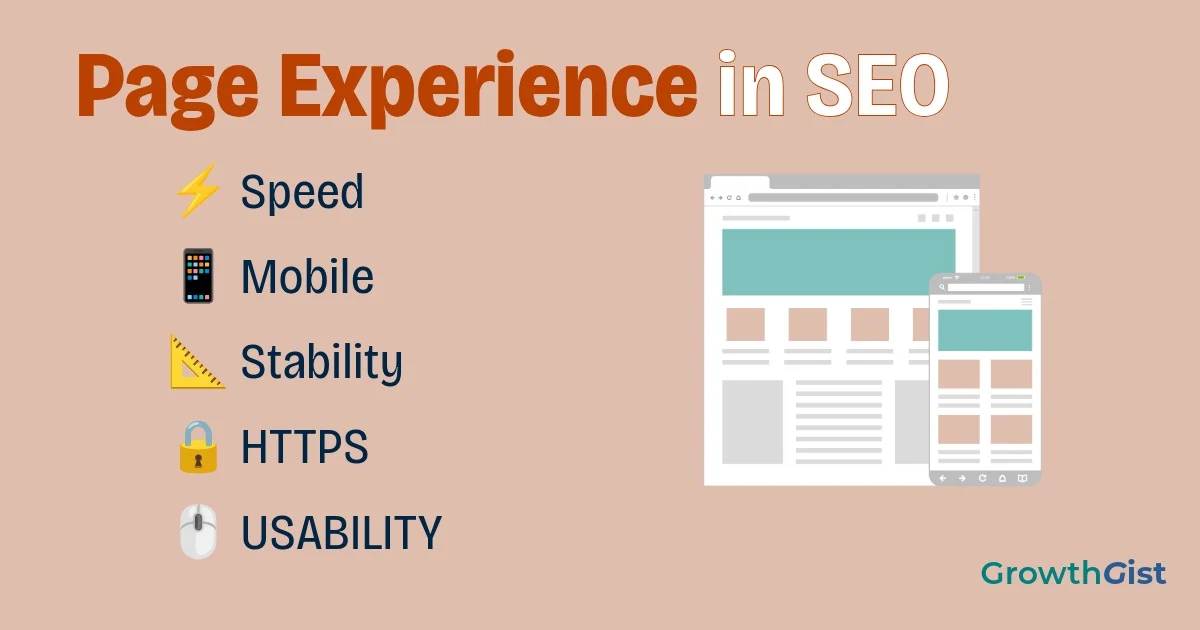
Page experience refers to the overall experience visitors have when interacting with a webpage. It includes factors such as loading performance, responsiveness, visual stability, mobile usability, security, and how easily visitors can access the main content.
In this guide, you’ll learn what page experience means, how it relates to SEO, which signals matter, how to check your website, and what you can do to improve it.
What Is Page Experience?
One thing that is easy to overlook is that page experience is not only about technical scores. A page can pass several performance tests and still feel uncomfortable to use if the text is difficult to read, the navigation is confusing, or important information is buried under unnecessary elements. Looking at the page from a visitor’s point of view can therefore reveal problems that a technical report may not immediately show.
Page experience is the overall quality of a visitor’s interaction with a webpage. It goes beyond the information presented on the page and considers how easily and comfortably visitors can use the website.
For example, imagine clicking a search result and waiting several seconds for the main content to appear. Then, just as you try to click a button, the page suddenly shifts and moves the button somewhere else. Even if the article contains exactly what you were looking for, these problems can create a frustrating experience.
A good page experience aims to make websites:
- Fast to load
- Responsive to user interactions
- Visually stable
- Easy to use on mobile devices
- Secure through HTTPS
- Free from disruptive experiences that make content difficult to access
Why Page Experience Matters for SEO
Page experience matters because users expect webpages to load quickly, respond smoothly, and work properly across different devices. A visitor who encounters slow loading, unexpected layout shifts, or difficult navigation may leave even when the page contains useful information.
Relevant and helpful content remains important, so page experience should be treated as one part of a broader SEO strategy.
Think of SEO as having several parts working together:
- Useful and relevant content
- Search intent
- On-page SEO
- Technical SEO
- Links and authority
- Page experience
A fast website with poor content will not become successful simply because it loads quickly. Likewise, an excellent article can still benefit from removing unnecessary usability and performance problems.
What Are the Main Page Experience Signals?
Page experience covers several areas that can affect how visitors interact with your website. Some focus on technical performance, while others relate to usability, security, and accessibility of the content.
Understanding these areas can help you identify problems that may be affecting visitors and prioritize the improvements that matter most.
Core Web Vitals
Core Web Vitals are a set of metrics designed to measure important aspects of webpage experience. They focus on loading performance, responsiveness, and visual stability.
The current Core Web Vitals are:
- LCP (Largest Contentful Paint): Measures loading performance and how quickly the main content becomes visible.
- INP (Interaction to Next Paint): Measures how responsive a page is to user interactions.
- CLS (Cumulative Layout Shift): Measures unexpected movement of content while a page is loading.
These metrics provide useful information about how a webpage performs for real users.
When you first come across LCP, INP, and CLS, the names can make page experience sound more complicated than it really is. You don’t need to understand every technical detail before you can start improving your website. A useful starting point is simply to ask whether the main content appears quickly, whether the page reacts when you click or tap something, and whether the content stays in place while the page loads.
Mobile Experience
A good webpage should work properly on smartphones and other smaller screens. Text should remain readable, buttons should be easy to tap, navigation should be usable, and important content should not be hidden or difficult to access.
This is particularly important because Google uses mobile-first indexing, meaning it primarily uses the mobile version of a website’s content for indexing and ranking. A website that works well on desktop but provides a poor mobile experience can therefore create problems for both users and SEO.
For more practical advice, see our guide to Mobile SEO.
HTTPS Security
HTTPS protects the connection between a visitor’s browser and your website. It is particularly important for websites that contain forms, login systems, payment features, or other areas where users submit information.
A secure website also provides visitors with greater confidence when browsing or interacting with your content. If your website still uses HTTP, moving to HTTPS should be considered an important technical improvement.
Avoid Intrusive Interstitials
Pop-ups are not automatically harmful, but they can become a problem when they prevent visitors from accessing the main content.
For example, a large pop-up that immediately covers an article after someone arrives from Google can make the page difficult to use, particularly on mobile devices. If you use pop-ups, make sure visitors can still easily access the content they came to read.
Is Page Experience a Google Ranking Factor?
This question can be confusing because there isn’t one single “page experience ranking factor.” Page experience is better understood as a collection of different aspects that contribute to how users experience a webpage.
Google’s guidance explains that its ranking systems use a variety of signals, while also making clear that not every aspect associated with page experience is necessarily a direct ranking signal.
This means you shouldn’t approach SEO with the idea that:
❌ Good page experience = higher rankings
Instead, focus on creating pages that satisfy the user’s search intent while also providing a fast, accessible, secure, and comfortable experience.
Page Experience vs. Core Web Vitals
Page experience and Core Web Vitals are related, but they are not the same thing.
Core Web Vitals focus specifically on three performance metrics: LCP, INP, and CLS. They give website owners measurable information about loading, responsiveness, and visual stability.
Page experience is broader. It considers performance along with other aspects of the experience, such as mobile usability, HTTPS, and avoiding disruptive experiences.
Therefore, having good Core Web Vitals is valuable, but it does not automatically mean that every aspect of your website experience is excellent.
Page Experience vs. On-Page SEO
Page experience and on-page SEO address different parts of website optimization.
On-page SEO focuses on helping search engines and users understand the content of a page. It includes elements such as headings, keywords, title tags, internal links, content structure, and search intent.
Page experience focuses more on how easily visitors can interact with and consume that content.
For example, an article may have excellent headings, relevant keywords, and well-structured content but still provide a poor experience if it takes too long to load or is difficult to navigate on a smartphone.
📌 Remember
A technically strong website still needs useful, relevant content. Page experience works best when performance and usability support the information visitors came to find.
How to Check Your Page Experience
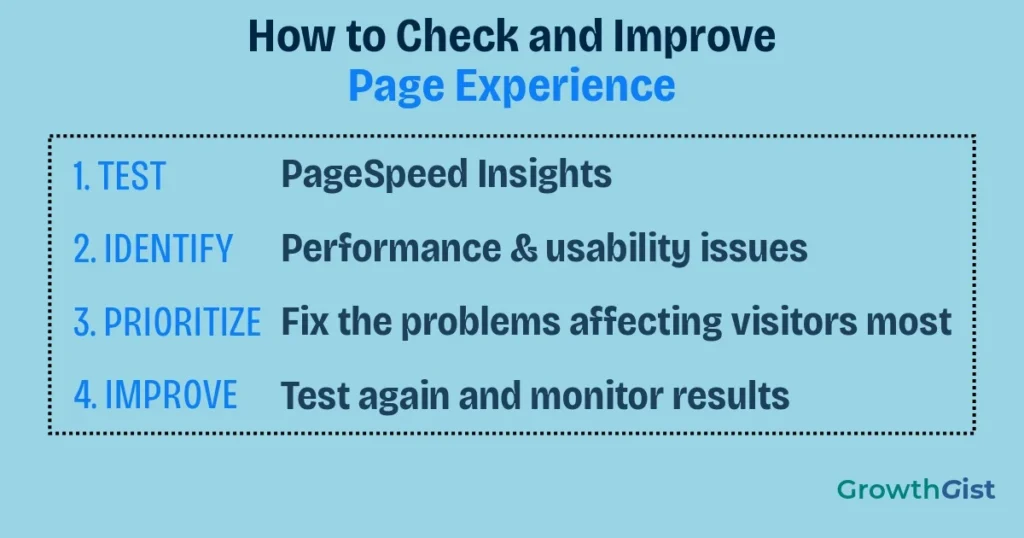
You don’t need to guess whether your website is providing a good experience. Several tools can help you identify performance and usability problems.
If you’re working on a new website, don’t feel that you need to test every page immediately. Start with your homepage and a few of your most important articles, especially pages that receive visitors from search. Once you understand the main problems, you can apply the same improvements to other pages instead of checking everything individually from the beginning.
Google PageSpeed Insights
PageSpeed Insights can analyze individual webpages and provide performance information along with recommendations for improvement. It can also provide Core Web Vitals information when sufficient real-world data is available.
You can use it to identify issues such as slow loading resources, inefficient page elements, and other performance problems.
Google Search Console
Google Search Console provides reports that can help website owners monitor Core Web Vitals and understand how their pages are performing in Google Search.
It is particularly useful because it allows you to monitor your website over time rather than checking individual pages only when a problem appears.
If you’re new to Google Search Console, see our Google Search Console beginner’s guide.
Lighthouse
Lighthouse is another useful tool for auditing webpages. It can evaluate areas such as performance, accessibility, and other technical aspects of a webpage.
Using several tools can provide a broader understanding of your website. However, don’t become obsessed with achieving a perfect score in every test. The purpose of these tools is to identify meaningful problems and help you improve the actual experience for visitors.
How to Improve Page Experience
Start with the problems that have the greatest effect on visitors.
In practice, improving page experience is usually a gradual process. You might discover that one large image is slowing down an article, while another page has unnecessary scripts or a layout that shifts when elements load. Fixing these issues one by one is often more useful than trying to make every technical metric perfect at the same time.
Here are some practical steps:
- Improve slow-loading pages by optimizing large resources and unnecessary scripts.
- Optimize images by using appropriate dimensions and efficient formats.
- Reduce layout shifts so important elements don’t unexpectedly move.
- Improve responsiveness so buttons, menus, and interactive elements react quickly.
- Make your site mobile-friendly and test pages on smaller screens.
- Use HTTPS across your website.
- Avoid disruptive pop-ups that block the main content.
- Keep navigation simple so visitors can find important information easily.
- Remove unnecessary elements that make pages cluttered or difficult to use.
Google’s guidance recommends taking a holistic approach instead of concentrating on only one or two page-experience metrics.
Page Experience Checklist for Beginners
Before publishing or improving a page, ask yourself:
- Does the main content load quickly?
- Does the page respond smoothly to interactions?
- Does the layout remain stable?
- Is the content easy to read on mobile?
- Does the website use HTTPS?
- Can visitors access the main content without disruptive pop-ups?
- Is the navigation easy to understand?
- Have I checked the page using PageSpeed Insights or another testing tool?
- Does the page provide a useful experience after someone arrives from Google?
You don’t need to achieve a perfect score in every tool to optimize your website. Instead, use these checks to identify meaningful problems and prioritize improvements that make a noticeable difference to visitors.
Final Thoughts
Page experience is an important part of building a successful website, but it should not be treated as a shortcut to higher Google rankings. A fast website with poor or irrelevant content will not automatically outperform a page that better satisfies the user’s needs.
A strong SEO strategy combines useful content with solid technical foundations and a smooth user experience. Core Web Vitals, mobile usability, HTTPS, performance, and sensible page design can all contribute to making your website easier and more enjoyable to use.
Start by testing your most important pages and identifying the biggest problems. Improve them gradually instead of trying to fix everything at once.
Good SEO helps people find your page. Good page experience helps them use it.

GrowthGist was founded by Ishwar Solanki to provide clear, practical, and beginner-friendly content on SEO, blogging, AI tools, productivity, website optimization, and digital growth. The platform helps readers build valuable digital skills and strengthen their online presence through actionable insights and reliable information.