
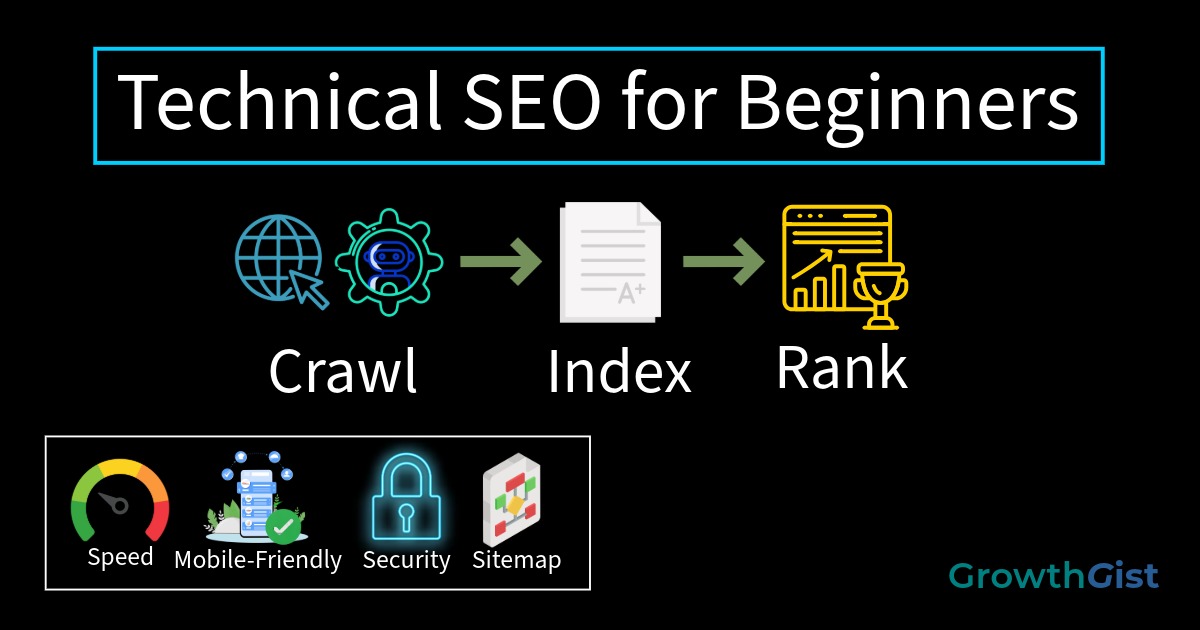
Technical SEO for beginners is one of the most important aspects of search engine optimization. While keyword research helps you discover what people are searching for and on-page SEO helps optimize content, technical SEO ensures that search engines can properly crawl, understand, and index your website.
Many beginners focus only on content creation and keywords, but neglect the technical foundation of their website. Even the best content may struggle to rank if technical SEO issues prevent search engines from accessing your pages.
In this beginner-friendly guide, you’ll learn what technical SEO is, why it matters, and the practical steps you can take to improve your website’s technical performance.
Many beginners focus primarily on creating content and targeting keywords, assuming that good content alone is enough to achieve rankings. While quality content is essential, technical issues can prevent search engines from properly accessing and understanding that content.
Think of technical SEO as the foundation of a house. Even if the house looks beautiful on the outside, problems with the foundation can affect its stability and performance. Similarly, technical SEO helps ensure that all other SEO efforts work effectively.
What Is Technical SEO for Beginners?
Technical SEO refers to the process of optimizing the technical elements of a website so search engines can efficiently crawl, index, and understand its content.
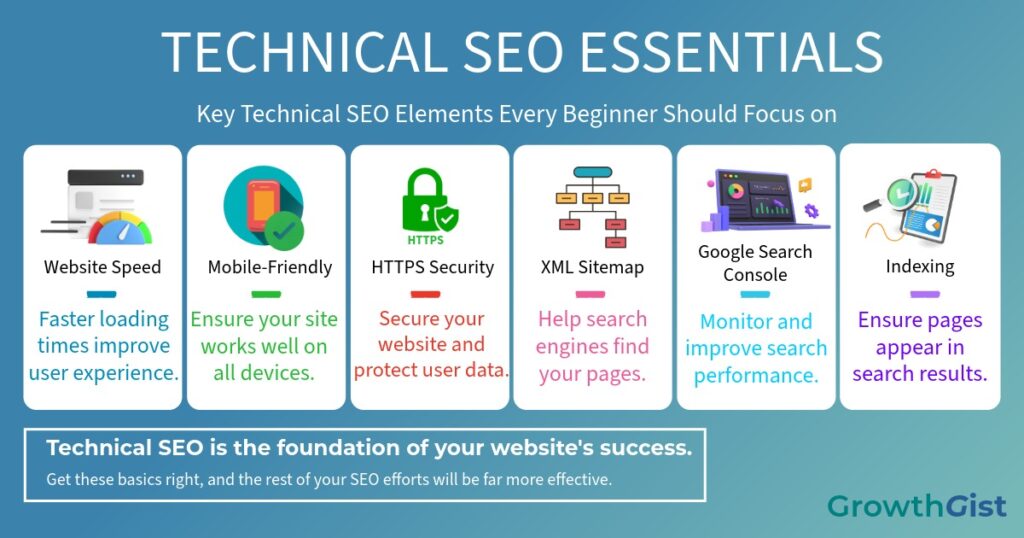
Unlike on-page SEO, which focuses on content and keywords, technical SEO focuses on the backend and infrastructure of a website.
Some common technical SEO areas include:
- Website speed optimization
- Mobile-friendliness
- XML sitemaps
- HTTPS security
- Crawlability
- Indexing
- Structured URLs
- Broken link management
Another important technical SEO element is structured data, which helps search engines better understand your content and may improve the appearance of your pages in search results.
The goal of technical SEO is to make it as easy as possible for search engines to access and understand your website.
Why Technical SEO Matters
Technical SEO plays a major role in determining how effectively search engines can evaluate your website.
Benefits of technical SEO include:
Better Crawling
Search engines use bots to crawl websites. Technical SEO helps these bots discover and access your content efficiently.
Faster Indexing
Proper technical optimization helps search engines add your pages to their index more quickly.
Improved User Experience
Many technical SEO improvements, such as faster loading speeds and mobile responsiveness, directly improve user experience.
Higher Search Visibility
A technically optimized website provides a stronger foundation for achieving higher rankings in search results.
Reduced Errors
Technical SEO helps identify and fix problems such as broken links, redirect issues, and crawl errors.
Understanding these concepts is essential when learning technical SEO for beginners.
Improve Website Speed
Website speed is a crucial topic in technical SEO for beginners.
Users expect websites to load quickly. If a page takes too long to load, visitors may leave before viewing the content.
Here are several ways to improve page speed:
Compress Images
Large images can significantly slow down a website. Compress images before uploading them to reduce file size without sacrificing quality.
Use Browser Caching
Caching allows browsers to store website resources so pages load faster during future visits.
Minify CSS and JavaScript
Removing unnecessary code reduces file size and improves loading performance.
Choose Reliable Hosting
Your hosting provider has a major impact on website speed. Investing in quality hosting can improve performance and uptime.
Limit Unnecessary Plugins
Too many plugins can slow down WordPress websites. Remove plugins you no longer need.
A fast website improves both user experience and SEO performance.
Make Your Website Mobile-Friendly
More than half of web traffic comes from mobile devices. Google also uses mobile-first indexing, meaning it primarily evaluates the mobile version of a website.
To improve mobile friendliness:
- Use responsive design
- Ensure text is readable without zooming
- Optimize images for mobile devices
- Maintain proper spacing between buttons and links
- Avoid intrusive pop-ups
A mobile-friendly website provides a better experience for visitors and helps improve search performance.
Use HTTPS for Security
HTTPS is a secure version of HTTP that encrypts data exchanged between users and websites.
Benefits of HTTPS include:
- Better security
- Improved user trust
- Protection of personal information
- Potential SEO advantages
Most modern hosting providers offer free SSL certificates that enable HTTPS.
If your website still uses HTTP, upgrading to HTTPS should be a priority.
Create an XML Sitemap
An XML sitemap acts as a roadmap for search engines.
It contains a list of important pages that you want search engines to crawl and index.
Benefits of XML sitemaps include:
- Faster discovery of new pages
- Better crawling efficiency
- Improved indexing of important content
WordPress SEO plugins like Rank Math automatically generate XML sitemaps.
After creating a sitemap, submit it through Google Search Console.
Optimize Your Website Structure
A clear website structure helps both users and search engines navigate your content.
If your website targets multiple countries or languages, organizing your content properly is also important for International SEO.
Best practices include:
- Organize content into categories
- Use SEO-friendly URL structures that are short, descriptive, and easy for both users and search engines to understand.
- Create logical navigation menus
- Link related articles together
For example, your SEO content cluster might include:
- SEO Tips for Beginners
- Keyword Research for Beginners
- On-Page SEO for Beginners
- Technical SEO for Beginners
Internal links between these articles help distribute authority and improve crawlability.
Fix Broken Links
Broken links occur when users click a link that leads to a missing page.
Broken links can:
- Frustrate visitors
- Harm user experience
- Waste crawl budget
- Reduce website quality
Regularly audit your website for:
- Broken internal links
- Broken external links
- 404 error pages
Fixing broken links helps maintain a healthy website.
Understand Crawlability and Indexing
Crawling and indexing are two essential concepts in technical SEO.
Crawling
Search engines use bots to discover content by following links throughout the web.
Indexing
Once content is crawled, search engines may store it in their index so it can appear in search results.
A page cannot rank if it is not indexed.
Common reasons pages fail to index include:
- Noindex Tags
- Blocked robots.txt files
- Poor internal linking
- Duplicate content
When duplicate versions of the same page exist, using canonical tags helps search engines identify the preferred version and consolidate ranking signals.
Understanding these concepts helps you troubleshoot SEO problems more effectively.
Use Google Search Console
Google Search Console is one of the most valuable free SEO tools available. It is one of the most useful tools for technical SEO for beginners.
It helps website owners monitor and improve technical SEO performance.
You can use it to:
- Inspect URLs
- Request indexing
- Submit XML sitemaps
- Monitor crawl errors
- Track search performance
- Identify indexing issues
Beginners should check Search Console regularly to ensure their content is being indexed properly.
Common Technical SEO Mistakes
Many beginners unknowingly make technical SEO mistakes that hurt performance.
Some common examples include:
Slow Website Speed
Large images, poor hosting, and excessive plugins can negatively impact performance.
Missing XML Sitemap
Without a sitemap, search engines may struggle to discover new content.
Mobile Usability Issues
A poor mobile experience can hurt both rankings and user engagement.
Broken Links
Broken links reduce website quality and frustrate users.
Duplicate Content
Duplicate pages can confuse search engines and dilute ranking signals.
Ignoring Search Console
Many website owners fail to monitor technical issues that affect visibility.
Avoiding these mistakes will strengthen your site’s SEO foundation.
Many technical SEO improvements only need to be implemented once, but they should be reviewed periodically. Regularly checking website speed, indexing status, broken links, and mobile usability can help identify issues before they negatively impact search performance.
The good news is that beginners do not need advanced technical knowledge to get started. By focusing on the fundamentals discussed in this guide, you can build a stronger technical foundation that supports future SEO growth.
While building GrowthGist, technical SEO was addressed from the beginning by enabling HTTPS, submitting an XML sitemap, setting up Google Search Console, and monitoring indexing status. These small steps created a stronger foundation for future content and SEO efforts.
Final Thoughts
Technical SEO may seem complex at first, but beginners can achieve significant improvements by focusing on the basics. Optimizing website speed, ensuring mobile friendliness, enabling HTTPS, creating XML sitemaps, fixing broken links, and monitoring Google Search Console are all essential steps.
A technically sound website helps search engines crawl and index your content more effectively while providing a better experience for visitors. As your website grows, investing time in technical SEO will support stronger rankings, increased traffic, and long-term success.
This guide to technical SEO for beginners covers the fundamental steps needed to improve website performance and search visibility.

GrowthGist was founded by Ishwar Solanki to provide clear, practical, and beginner-friendly content on SEO, blogging, AI tools, productivity, website optimization, and digital growth. The platform helps readers build valuable digital skills and strengthen their online presence through actionable insights and reliable information.