
Internal Linking for Beginners is one of the simplest yet most effective SEO techniques for improving website structure, helping visitors discover related content, and making it easier for search engines to understand your pages.
While creating high-quality content is important, connecting related pages across your website helps both visitors and search engines discover more valuable information.
A well-planned internal linking strategy improves website navigation, distributes page authority, and encourages users to spend more time exploring your content. Unlike backlinks from other websites, internal links are completely under your control, making them an essential part of every SEO strategy.
In this guide, you’ll learn what internal linking is, why it matters, and the best practices beginners should follow.
What Is Internal Linking?
Internal linking is the practice of linking one page of your website to another page on the same website.
For example, if you’re writing about Image SEO and mention page speed, you can link readers to a related article about Core Web Vitals. These connections help users continue learning without searching for additional information elsewhere.
Internal links can connect:
- Blog posts
- Category pages
- Important guides
- About page
- Contact page
- Other relevant website pages
Why Is Internal Linking for Beginners Important?
Internal links provide value for both users and search engines.
Helps Search Engines Discover Pages
Search engine crawlers follow internal links to find new pages and understand how your website is organized. Pages that are properly connected are generally easier to crawl and index.
You can learn more about how Google discovers and crawls pages from the Google’s official crawling documentation.
Improves Website Navigation
Internal links help visitors move naturally from one topic to another. Instead of leaving your website after reading a single article, users can continue exploring related content.
Distributes Link Authority
Some pages naturally receive more authority than others. Internal linking helps distribute that authority across your website, giving important pages a better opportunity to perform well in search results.
Increases User Engagement
When readers find useful related articles, they often spend more time on your website. This creates a better browsing experience and encourages visitors to explore additional content.
Many beginners focus on publishing new articles but pay little attention to connecting existing content. As a website grows, it becomes increasingly important to create clear relationships between related topics. A thoughtful internal linking strategy helps organize information in a way that makes browsing easier for visitors while strengthening the overall structure of your website.
Types of Internal Links
There are several ways to add internal links throughout a website.
Contextual Links
Contextual links appear naturally within the main content of a page. These are often considered the most valuable because they are directly related to the surrounding topic.
Contextual links often strengthen the relationship between related SEO topics.
Navigation Links
Navigation menus help visitors access important pages such as the homepage, blog, categories, and contact page.
Footer Links
Footer links provide quick access to important pages like Privacy Policy, Disclaimer, Terms & Conditions, and other essential resources.
Related Post Links
Many websites display related articles at the end of a post to encourage readers to continue exploring similar topics.
Internal Linking Best Practices
Building an effective internal linking strategy involves more than simply adding links throughout your content. Every link should have a clear purpose, guide readers to relevant information, and fit naturally within the context of the page. Following a few proven best practices can help you create a well-structured website that benefits both users and search engines.
Use Descriptive Anchor Text
Anchor text is the clickable text used for a link.
Instead of using vague phrases like:
- Click here
- Read more
- Learn more
use descriptive anchor text that clearly explains where the link leads.
For example:
Poor Anchor Text
Click here
Better Anchor Text
Core Web Vitals Guide
Descriptive anchor text helps both users and search engines understand the destination page.
Choosing the right anchor text also sets clear expectations for readers before they click a link. When visitors understand exactly what information they will find on the next page, they are more likely to continue exploring your website. This creates a smoother reading experience and helps users discover content that matches their interests.
Clear anchor text also supports a better search experience for users.
Link to Relevant Content
Every internal link should add value to the reader.
Only link to pages that genuinely support the current topic. Irrelevant links can interrupt the reading experience and make your content appear less organized.
For example, an article about keyword research can naturally link to search intent, on-page SEO, or SEO content writing because these topics are closely connected.
Connecting supporting resources helps readers understand a topic more completely.
Avoid Overusing Internal Links
Adding too many links on a single page can overwhelm readers.
Instead of linking every mention of a keyword, focus on the most useful opportunities where readers are likely to benefit from additional information.
Keep Important Pages Easy to Reach
Important pages should never be buried deep within your website; rather, these pages should be included in your site hierarchy.
Ideally, visitors should be able to reach valuable content within a few clicks from your homepage or other important pages.
A clear website structure improves navigation and helps search engines understand which pages are most important.
Update Older Content with New Links
Internal linking is not limited to new articles.
Whenever you publish new content, review older posts and add links to the new article where relevant. This strengthens the relationship between related topics and keeps your content network growing over time.
Reviewing older articles on a regular basis is a simple habit that keeps your content connected as your website expands. Instead of allowing valuable posts to become isolated over time, adding relevant links ensures that both new and existing content continue supporting one another. This approach also makes it easier for readers to discover articles they may have otherwise missed.
Regularly updating older content also improves the user experience by providing readers with additional resources.
Create Topic Clusters
Topic clusters group related articles around a central subject.
For example, a beginner SEO website may include articles about:
- Keyword Research
- On-Page SEO
- Technical SEO
- Image SEO
- Link Building
- Mobile SEO
- SEO Audit
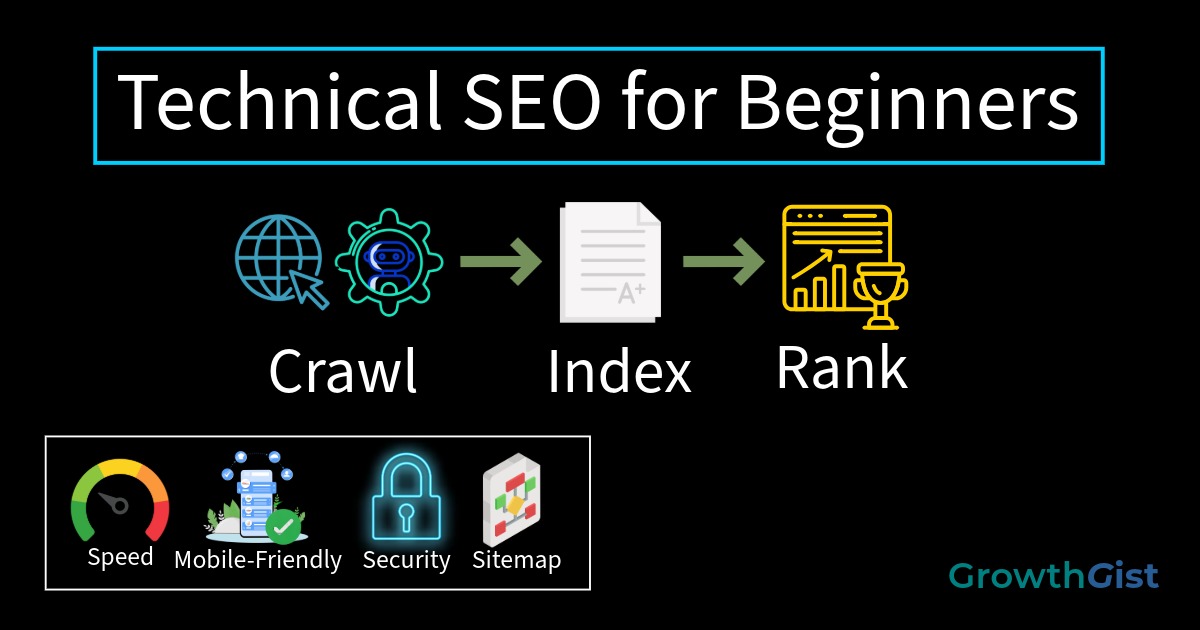
Connecting these articles through internal links helps search engines understand that your website covers the topic in depth.
Topic clusters become stronger as your content library expands.
Following these Internal Linking for Beginners best practices can improve navigation and SEO over time.
Common Internal Linking Mistakes
Beginners often make several internal linking mistakes.
Avoid:
- Using generic anchor text
- Linking to unrelated pages
- Adding excessive links
- Forgetting to update older articles
- Leaving important pages without internal links
- Linking only to the homepage
Fixing these mistakes helps create a more organized and user-friendly website.
Internal Linking Best Practices Checklist
Before publishing a post, check whether you have:
- Added links to relevant pages
- Used descriptive anchor text
- Linked naturally within the content
- Connected related topics
- Updated older articles when necessary
- Avoided unnecessary links
Following these practices helps build a stronger website structure over time.
Internal linking should become part of your publishing workflow rather than an afterthought. Before clicking the publish button, take a few moments to review whether readers would benefit from additional resources on your website. Building this habit consistently can strengthen your content over time and create a better experience for every visitor.
Final Thoughts
Internal linking is one of the easiest SEO improvements you can make because it requires no special tools or technical expertise. By connecting related pages with descriptive anchor text and useful contextual links, you create a better experience for both readers and search engines.
Internal linking delivers better results when combined with other on-page optimization techniques.
After learning Internal Linking for Beginners, you can build a stronger content structure as your website grows.

GrowthGist was founded by Ishwar Solanki to provide clear, practical, and beginner-friendly content on SEO, blogging, AI tools, productivity, website optimization, and digital growth. The platform helps readers build valuable digital skills and strengthen their online presence through actionable insights and reliable information.