
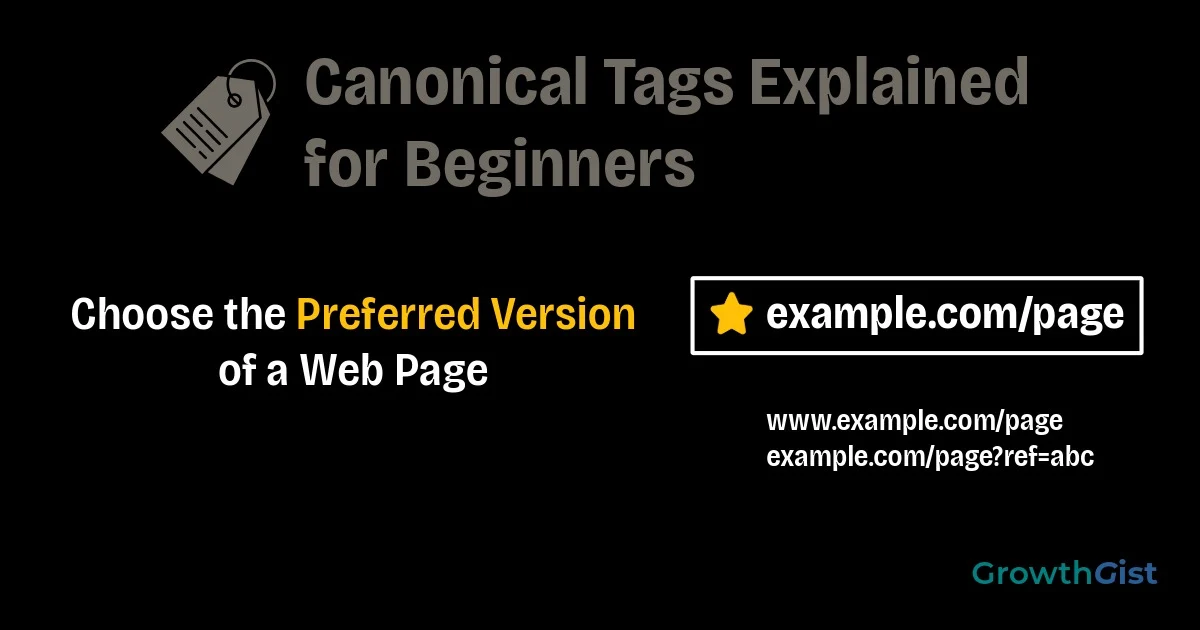
Have you ever noticed that the same webpage can sometimes be accessed through different URLs? For example, a page might be available with or without “www,” through different categories, or with tracking parameters added to the URL. Although users may see the same content, search engines can interpret these as separate pages.
This is where canonical tags become important. They help search engines understand which version of a webpage should be treated as the primary one, reducing confusion caused by duplicate or similar content.
They are an important part of technical SEO because they improve how search engines process your website and help consolidate ranking signals. In this beginner-friendly guide, you’ll learn what canonical tags are, why they matter, how they work, common mistakes to avoid, and the best practices for using them correctly.
What Is a Canonical Tag?
A canonical tag is an HTML element that tells search engines which version of a webpage should be considered the preferred or original version when multiple pages contain identical or very similar content.
Google explains this tag in its official canonicalization documentation.
Instead of indexing several similar URLs separately, search engines can use the canonical tag as a signal to focus on the preferred page. This helps prevent duplicate content from affecting how pages are indexed and understood.
For example, if the same article is available through multiple URLs, a canonical tag points search engines to the main version that should receive most of the ranking signals.
Why Are Canonical Tags Important?
Duplicate or similar pages can appear naturally on many websites. Product filters, tracking parameters, category pages, printer-friendly versions, or different URL variations may all create multiple URLs for the same content.
Understanding how search engines work makes it easier to see why canonical tags help search engines identify the preferred version of a webpage.
Some of the main benefits include:
- Reduces duplicate content issues.
- Consolidates ranking signals.
- Helps search engines index the correct page.
- Improves crawl efficiency.
- Creates a cleaner website structure.
- Supports long-term website management.
Although this tag doesn’t guarantee higher rankings, it helps search engines understand which page should appear in search results.
Many website owners don’t realize duplicate URLs can appear without intentionally creating them. As your website grows, publishing new content, updating old pages, or using different URL variations can naturally create similar pages. Understanding canonical URL early helps you manage these situations with greater confidence.
Including canonical tags in your overall SEO strategy helps keep your website organized as it grows.
How Do Canonical Tags Work?
A canonical tag is placed inside the <head> section of a webpage.
When search engines crawl a page, they read this tag and use it as a strong signal to determine which URL should be treated as the preferred version.
The process generally works like this:
- Search engines discover multiple similar URLs.
- They read the canonical tag on each page.
- The preferred URL is identified.
- Ranking signals are consolidated.
- Search engines decide which page to display in search results.
Search engines usually respect correctly implemented canonical tags, although they may choose a different version if other signals strongly suggest another page is more appropriate.
When Should You Use Canonical Tags?
Canonical tags are useful whenever multiple URLs contain identical or substantially similar content.
Some common situations include:
- URLs with tracking parameters.
- Product pages available in multiple categories.
- Printer-friendly pages.
- HTTP and HTTPS versions.
- WWW and non-WWW versions.
- Pagination or filtered pages with similar content.
Using the canonical element helps search engines understand which version represents the primary page.
Maintaining a consistent URL structure makes canonical tags easier to implement and reduces duplicate URL issues.
Self-Referencing Canonical Tags
A self-referencing canonical tag points a page back to itself.
This tells search engines that the current URL is already the preferred version.
Many SEO plugins automatically generate self-referencing canonical tags, making them a recommended default for most websites.
Canonical Tags vs Redirects
Canonical tags and redirects are often confused because both help manage multiple URLs, but they serve different purposes. The comparison below highlights when each method should be used.
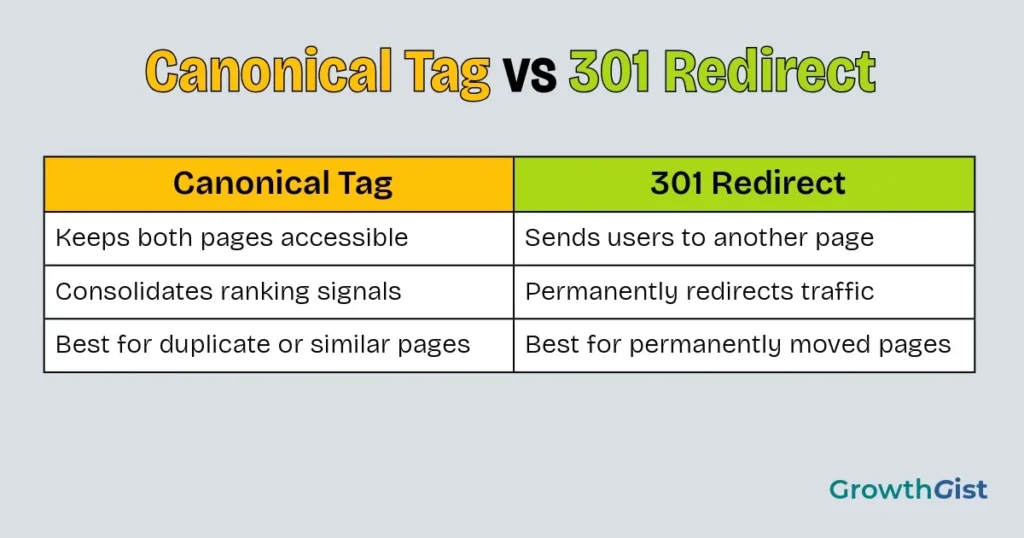
A canonical tag tells search engines which page should be treated as the preferred version while still allowing users to access other URLs.
A 301 redirect, on the other hand, automatically sends both users and search engines to a different URL because the original page is no longer intended to be accessed.
📌 Remember
Use a canonical tag when similar pages need to remain accessible. Use a 301 redirect when a page has permanently moved and should no longer be accessed through its old URL.
If duplicate pages need to remain available, the canonical element is usually the better option. If a page has permanently moved, a redirect is generally the appropriate solution.
How to Add Canonical Tags
For most WordPress users, adding canonical tags is straightforward.
Many SEO plugins automatically generate canonical tags for pages and posts.
If needed, you can also:
- Specify a custom canonical URL.
- Review the canonical URL before publishing.
- Update it when consolidating similar content.
- Verify that it points to the correct page.
In most cases, beginners won’t need to edit canonical tags manually unless a specific situation requires it.
If you’re using a modern SEO plugin, managing canonical tags is usually much easier than beginners expect. Instead of changing them on every page, focus on reviewing them only when multiple URLs could represent the same content.
Best Practices for Using Canonical Tags
Following a few simple practices helps ensure the preferred URL points correctly.
Some recommendations include:
- Use one canonical URL for each page.
- Point canonical tags to accessible pages.
- Use absolute URLs whenever possible.
- Keep canonical URLs consistent.
- Review canonical tags after major website changes.
- Avoid conflicting SEO signals.
Correct implementation is usually more effective than making frequent changes.
Regularly reviewing SEO metrics can help you identify indexing trends and measure the long-term impact of your canonical tag implementation.
Common Canonical Tag Mistakes
The canonical element is simple to implement, but small mistakes can reduce their effectiveness.
Some common errors include:
- Pointing to non-existent pages.
- Using multiple canonical tags on one page.
- Creating canonical loops.
- Blocking canonical pages through the robots.txt file or other robots directives.
- Using canonicals when a redirect is the better solution.
- Forgetting to update canonical tags after changing URLs.
Reviewing these settings regularly helps prevent indexing issues as your website grows.
Learning how canonical tags work takes a little practice, but you don’t need to solve every duplicate URL issue immediately. Start by understanding the purpose of each page, then choose the most appropriate solution based on how your content is organized.
How to Check Canonical Tags
After publishing or updating a page, it’s a good idea to verify that the canonical tag is correct.
You can check canonical tags by:
- Viewing the page source.
- Using browser inspection tools.
- Reviewing SEO plugin settings.
- Checking reports in Google Search Console.
- Using SEO auditing tools.
Regular verification helps identify problems before they affect search engine indexing.
Final Thoughts
Canonical tags help search engines identify the preferred version of a webpage when multiple similar URLs exist. While they don’t directly improve rankings, they reduce duplicate content confusion, consolidate ranking signals, and support a more organized website structure.
As your website continues to grow, properly implementing this tag becomes an important part of website optimization and maintaining a well-organized site. Understanding when to use canonical tags—and when a redirect is the better choice—will help you build a cleaner, more search-friendly website over the long term.
This tag work alongside other optimization efforts such as Core Web Vitals to improve your website’s overall SEO foundation.
The goal of a canonical tag isn’t to hide duplicate pages—it’s to help search engines identify the most important version.

GrowthGist was founded by Ishwar Solanki to provide clear, practical, and beginner-friendly content on SEO, blogging, AI tools, productivity, website optimization, and digital growth. The platform helps readers build valuable digital skills and strengthen their online presence through actionable insights and reliable information.